Android: Build real weather app: JSON, HTTP and Openweathermap
In
this post I want to describe how to create a weather app that gives
current weather information. This app will use JSON, HTTP connection and
AsyncTask to get this information.. As weather provider I will use OpenWeatherMap
a free weather service that provides some interesting API really easy
to use.I will guide you through the steps necessary to build up a
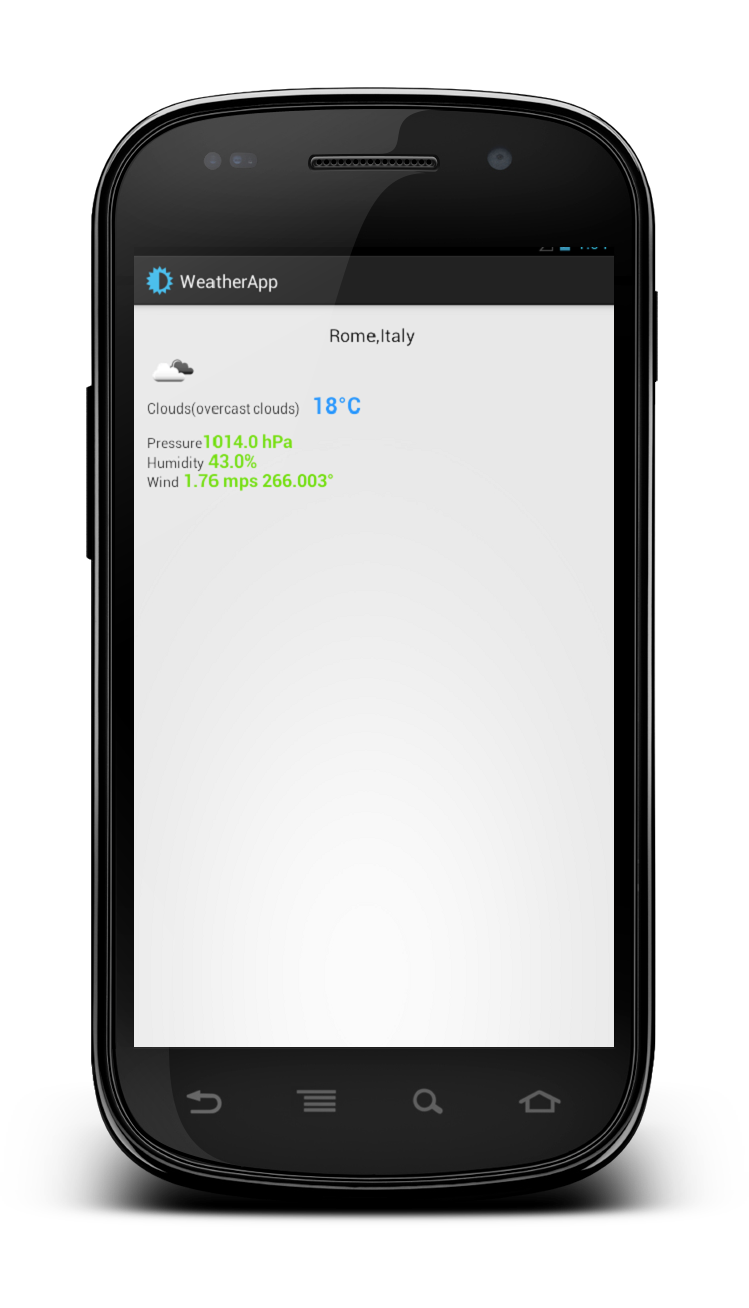
working app. For more information about API, you can visit the OpenWeatherMap web site. I will show to you the final result so you can have an idea about what we will do in this post.
Current weather info – HTTP Request and JSON Response
OpenWeatherMap
offers several API to use to get weather information. We want to use
the one that gives us the current weather info. The URL to call to get
this info is:
Let’s suppose we want to know the weather in Rome, IT. Using our browser we can have:
As we can see we have JSON response. Formatting the response we have
02 | "coord":{"lon":12.4958,"lat":41.903}, |
03 | "sys":{"country":"Italy","sunrise":1369107818,"sunset":1369160979}, |
05 | "id":802,"main":"Clouds","description":"scattered clouds", |
07 | "base":"global stations", |
So
the first thing we need to do is creating our data model so that we can
parse the response and convert it into Java classes. Analyzing the
response we have different “main” tags that we can use as class in Java:
- coord (object)
- sys (object)
- weather (array)
- main (object)
- wind (object)
- name: (String)
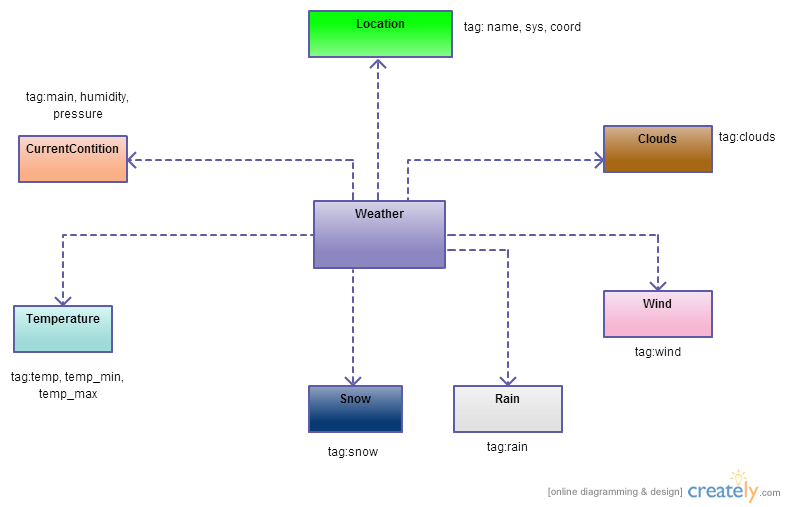
The response is quite simple and we can convert it manually. The UML class diagram for the model is shown below:


No comments:
Post a Comment